
Time Matters Exchange Sync - Clear Calendar
Date: May. 14, 2024 Categories: calendar
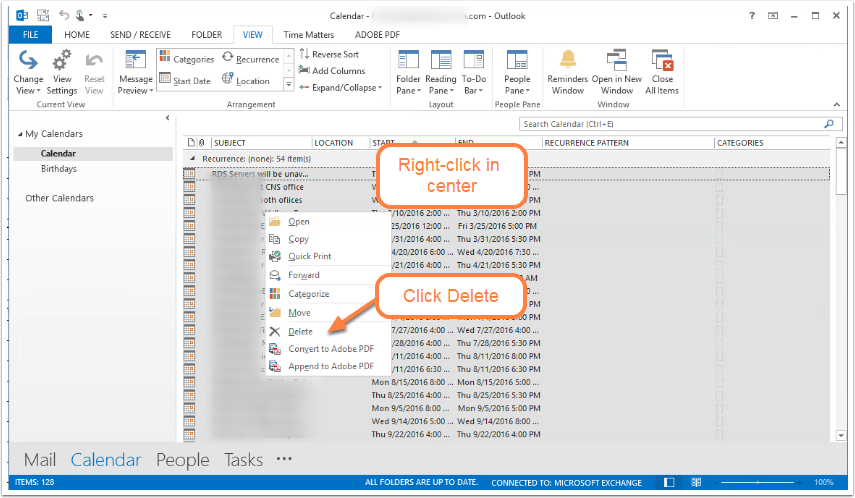
You can delete all events from the Outlook Calendar to prepare for Time Matters Exchange Synchronization. This action is only advisable under specific conditions. All of your Calendar items must be present in the Time Matters database in order to avoid losing important calendar entries.
Proceed only after making a full backup of your Outlook Calendar and your Time Matters database.
This illustrated, step-by-step PDF guide shows how to delete the records in your Outlook Calendar. You take that action in preparation for synchronizing Calendar records in Time Matters with your Outlook Calendar.