
Adobe Acrobat Reader DC Fix for Time Matters
Date: Sep. 25, 2017 Categories: links
Update: Another more recent update of Acrobat DC has broken the Time Matters link. See this post for a fix. More... - Dec. 6, 2017.
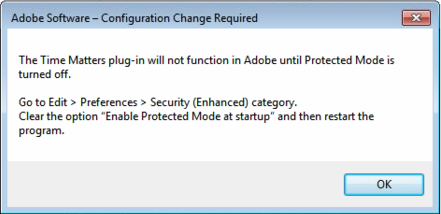
A known issue with Time Matters 16.1 and earlier can cause an error message in Adobe Acrobat Reader DC:
[caption id="" align="alignnone" width="441"] Clear the option: Enable Protected Mode at startup [/caption]
The error message may appear when you attempt to use the TMSave button in Acrobat Reader DC.
Here are two fixes for this Protected Mode issue:
- Upgrade to Time Matters 16.2, or
- Change a Windows Registry entry.
To change the Registry entry:
-
Back up your computer or at least back up the Registry:
-
Click Start, type regedit.exe in the search box, and then press Enter.
-
In Registry Editor, click on the top item, Computer.
-
Click File > Export.
-
Give the file a name and press Save.
-
Close the Registry Editor.
-
In the Search Box, type: cmd
-
Copy and paste the following into the Command Prompt window:
Reg Add "HKEY_CURRENT_USER\Software\Adobe\Acrobat Reader\17.0\Privileged" /v bProtectedMode /t Reg_Dword /d